
Top Stories
KFF Health News’ ‘What the Health?’: The Supreme Court and the Abortion Pill
Since the Supreme Court overturned Roe v. Wade in 2022, the landscape of abortion rights in the United S...
TAMFIS NIG LTDRC 8067447CAC ACTIVEFinima, Bonny Island, Rivers State

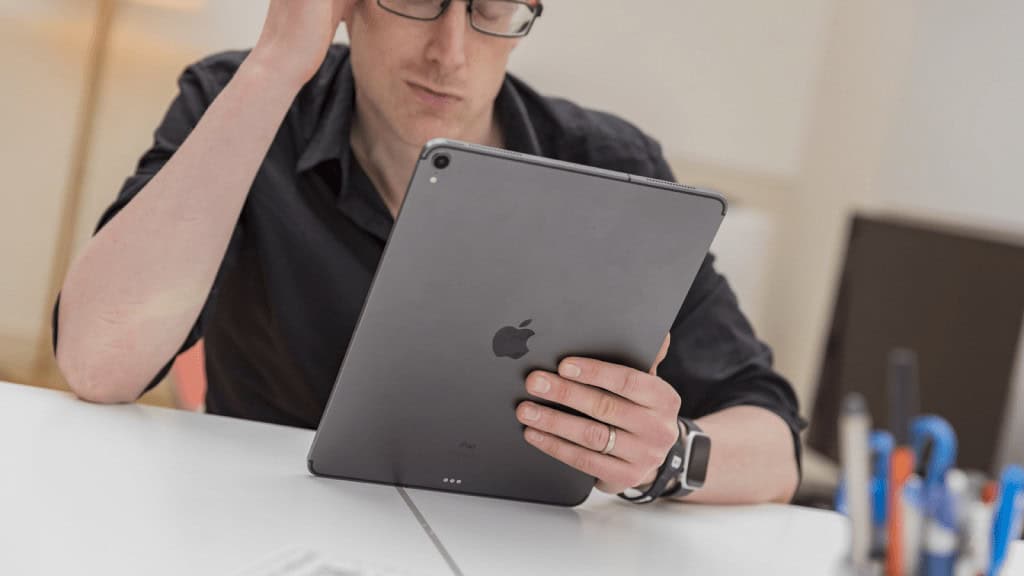
For over a decade, iPad users have noticed a curious gap in Apple's preinstalled software lineup: while iPhones, Macs and even Apple Watches include a calculator app as standard, the iPad has consistently shipped without one. This omission persists despite the device's large touchscreen interface appearing ideally suited for mathematical input. Recent speculation that iPadOS 18 might finally address this gap has renewed interest in understanding why such a basic utility has been absent for so long. The explanation appears rooted in early design decisions rather than technical limitations, leaving users to rely on workarounds or third-party solutions for their calculation needs.
The absence of a calculator app on iPad traces back to the device's initial development phase. According to accounts from former Apple employees reported by Luke Dormehl of Cult of Mac in 2016, Steve Jobs personally objected to using the iPhone's calculator interface on the iPad's larger display during pre-launch reviews. Jobs reportedly found the scaled-up iPhone version aesthetically unpleasing and directed that it be removed from the software stack. This decision created a gap that has never been formally filled by Apple's first-party offerings, despite multiple iOS and iPadOS updates over the years.
While the exact motivations remain unverified by Apple — the company did not respond to requests for comment at the time of writing — the story aligns with Jobs' well-documented focus on design purity and user experience consistency. Rather than ship an interface he deemed inadequate, Jobs opted to exclude the feature entirely, leaving it to be addressed in future iterations. Over ten years later, this interim solution has become a permanent fixture of the iPad's software identity, highlighting how early executive decisions can shape product ecosystems for extended periods.
Despite lacking a dedicated app, the iPad does retain access to calculation functions through Siri voice commands. Users can perform basic arithmetic by asking questions such as "What is 15 times 8?" or "What is 20% of 250?" Siri processes these queries and returns spoken answers, drawing on the same calculation engine that powers the Calculator app on other Apple devices. In testing, asking Siri "What's 10 x 12" returned the answer 120, with the response explicitly attributed to the Calculator app.
For simple operations, this voice-based approach offers a hands-free alternative that works well in kitchen or workshop environments where touch input might be impractical. Users can ask: "Hey Siri, what's 10% of 100," "Hey Siri, what's 15 minus 7," or "Hey Siri, what's 28.96 divided by 5" and receive immediate results. However, the functionality has clear limitations: complex multi-step calculations, trigonometric functions, logarithms and unit conversions typically require more sophisticated handling than Siri's basic math parser can provide.
When faced with advanced mathematical requests, Siri often deflects to Wolfram Alpha for computation. For example, asking for the square root of 16 routed the query through Wolfram Alpha rather than the local calculator engine. While this extends the range of solvable problems, it introduces dependencies on internet connectivity and external services, making it less reliable for offline use or quick reference compared to a dedicated local app. Siri therefore serves as a convenient tool for elementary arithmetic but cannot replace a full-featured calculator for serious mathematical work.
The App Store offers numerous calculator applications that surpass what a basic first-party offering might provide. Leading options include Calcbot 2, which combines standard and scientific calculation modes with unit conversion tools in a clean interface. Its free version includes advertisements, while a one-time in-app purchase removes them for approximately $2 / £2. The app supports both regular and scientific calculations, making it suitable for a wide range of users.
Other notable alternatives cater to specific user needs. PCalc appeals to professionals requiring advanced scientific and engineering functions, featuring a customisable interface and support for Reverse Polish Notation (RPN). Calculator HD++ and Calculator HD Pro Lite offer large-button designs optimised for accessibility, making them suitable for users with visual impairments or motor skill challenges. These apps demonstrate how the developer ecosystem has filled the gap left by Apple's absence.
Many third-party solutions offer features beyond basic arithmetic, including history tracking, memory functions, percentage calculations and specialised modes for financial, statistical or programming-related computations. The variety ensures that whether a user needs a simple tip calculator or a full scientific toolkit, there is an appropriate option available — often for less than the cost of a physical handheld calculator.
For students, the lack of a built-in calculator necessitates downloading a reliable alternative for examinations and coursework. While basic arithmetic suffices for early education, secondary and tertiary level mathematics often require scientific functions that are readily available in apps like Calcbot 2 or PCalc. The one-time cost of premium options represents a modest investment compared to traditional handheld calculators, which can cost significantly more and lack the iPad's display advantages.
Business users benefit from calculator apps that integrate with productivity workflows. Features such as tax calculation, currency conversion and margin analysis support quick decision-making in retail, finance and logistics contexts. Applications with copy-and-paste functionality or share sheets enable seamless transfer of results into emails, spreadsheets or messaging platforms. The ability to save and export calculation histories adds audit-trail value for professional use.
Everyday shoppers find utility in calculator apps for comparing unit prices, calculating discounts and splitting bills. The ability to save calculation history helps track multiple items during grocery shopping or home improvement projects. Voice-activated options via Siri remain useful for quick checks while hands are occupied — such as when cooking or carrying items — though touch-based apps provide greater precision for complex comparisons and multi-step budgeting tasks.
While the iPad's calculator omission remains an intriguing quirk in Apple's product lineup, it has not left users without viable options. The situation highlights how platform gaps can stimulate third-party innovation, resulting in calculation tools that often exceed what a basic first-party offering might provide. For most users, downloading a reputable calculator app from the App Store resolves the issue entirely, with many options available for under $3 / £3 or even free with advertisements. As iPadOS continues to evolve — with persistent rumours surrounding iPadOS 18 — the eventual inclusion of a native calculator app would simply formalise what the market has already supplied. Given the longevity of this absence, however, users may not hold their breath for an imminent arrival, and the current ecosystem of third-party solutions remains the most practical path forward for anyone needing reliable calculation capabilities on their iPad.
Originally reported by macworld.com. Adapted for our readers with AI assistance.
Keep reading
Top Stories
Since the Supreme Court overturned Roe v. Wade in 2022, the landscape of abortion rights in the United S...
Top Stories
Top Stories Tamfitronics One evening in May, nursing assistant Debra Ragoonanan’s vision blurred during her shift at a state-run Massachusetts vet...
TAMFIS NIG LTD
Electrical and instrumentation engineering, bid preparation and consulting, IT and software.